
 abeerakhan
(200 Points)
abeerakhan
(200 Points)
 shakti
(9.7K Points)
shakti
(9.7K Points)
As you know, Question2Answer is another CMS for QA forums, like WordPress. You get source files and an admin panel. You cannot change Powered by Question2Answer from the admin panel.
Go to qa-theme-base.php and edit with any notepad. Search Question2Answer or Powered using CTR F . Change the text and URL. Also, you can find the function html() to edit.
You will be able to change credits in the base file.
Also, I would suggest you check the Techno Smarter QA details and demo similar to Question2Answer. They give a fully controlled admin panel. You can easily change the footer credits from the admin panel. No need for a coding change.
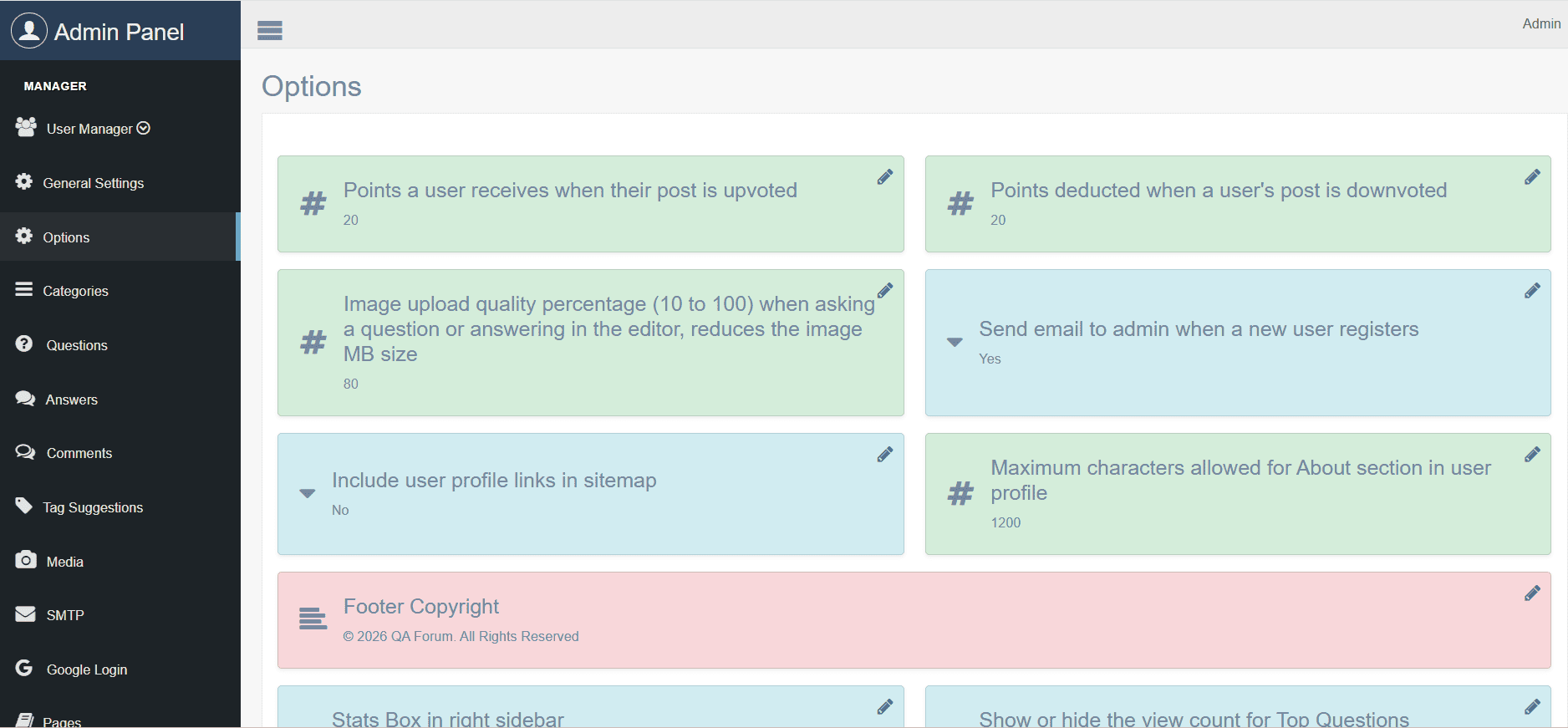

You can easily control full Q&A features from the admin panel.
Check details & Demo
vishalrana1
(7.4K Points)
Question2Answer developed on PHP with a lot of functionality in which we can change everything by using code.
If you want to remove Question2Answer credits then you should check two files.
1. Go to your Question2Answer QA forum source file.
2. First of all, check your theme.
3. Go to the qa-theme folder.
4. Now select your theme folder and open
5. You will get a file qa-theme.php, Edit this file using a text editor.
Search for credits. Find the Question2Answer or Search by these keywords, copyright, powered by, Question2Answer, etc. Change Question2Answer to your website title and URL.
You can check in public function attribution() .
After changed footer credits, do not forget to save file qa-theme.php.
Now, we are going to change a Question2Answer theme base file .
1. Go back in qa folder.
2. Now, open qa-include folder and find qa-theme-base.php
3. Find the credits and change according to your need.
In this way, you can change credits from Question2Answer source files.
dronacybersolutions
(120 Points)
If you can't find the "Powered by Question2Answer" text in your theme files, check qa-include/qa-theme-base.php and search for attribution() or Question2Answer.
In many Q2A versions, the footer credit is generated through the attribution function rather than plain text. You can modify or override this function in your custom theme to change or remove the footer credit.
Always back up the file before making changes.
