Free Product Barcode Generator Online
Create real-world, high-definition product barcodes for Amazon FBA, Shopify, Retail Boxes, and Outer Shipping Cartons instantly!
Your e-commerce product barcode will appear here
The Ultimate Free E-commerce Product Barcode Generator
In the high-speed world of online retailing, warehousing, and inventory fulfillment, precision is everything. Whether you are an e-commerce entrepreneur preparing your first shipment for Amazon FBA, a Shopify brand owner managing warehouse stock, or a retail distributor printing packaging boxes, having scannable, real-world barcodes is vital. Barcodes act as the physical bridge to digital inventory databases, eliminating human data-entry errors and ensuring lightning-fast checkout scans. The Techno Smarter E-commerce Barcode Generator is built specifically for modern sellers, delivering print-ready, high-resolution 1D barcodes that comply with international supply chain standards.
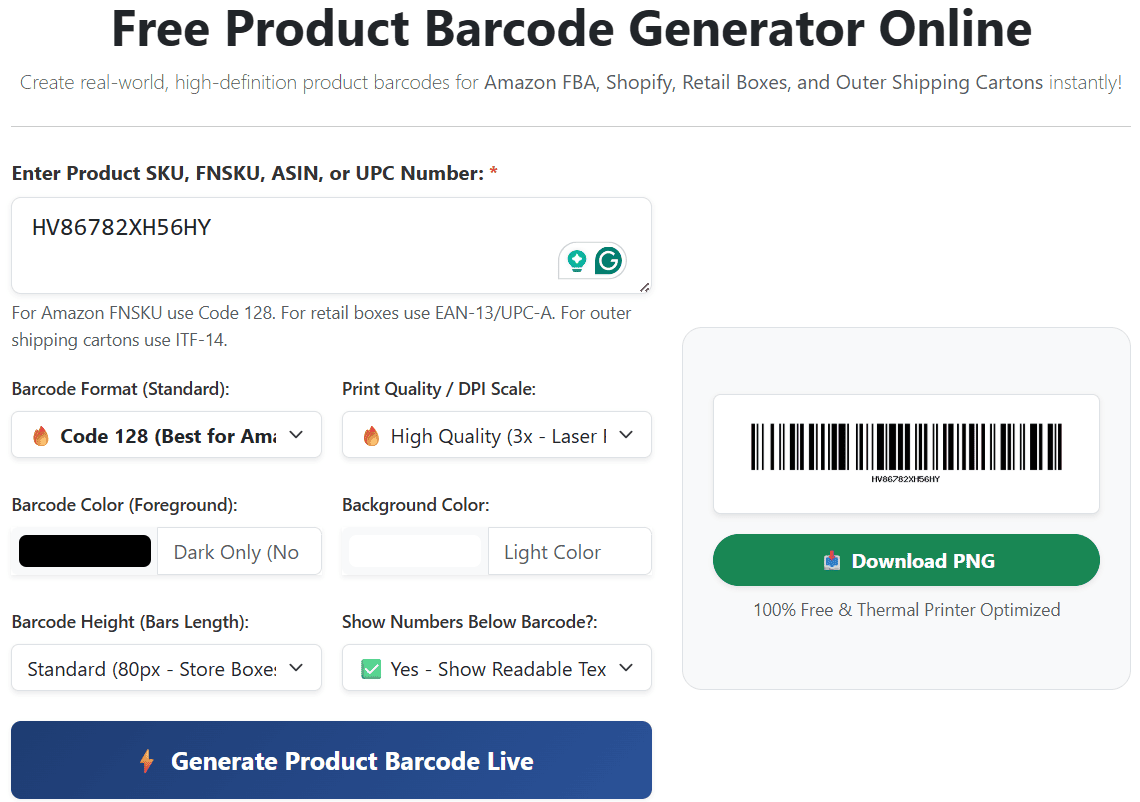
Step-by-Step Guide to Generate Retail & Shipping Barcodes:
Our interactive tool processes your inventory numbers locally without installing complex desktop software. Follow these steps to build your custom barcode label:
- Step 1: Input Your Identifier (SKU / FNSKU / GTIN): Enter or paste your alphanumeric code into the text area. For Amazon FBA sellers, paste your 10-character FNSKU string (e.g.,
X001ABCDEF) or ASIN. For global store merchandise, input your official UPC-A, EAN-13, or EAN-8 retail numbers. - Step 2: Choose Your Barcode Symbology: Select the exact barcode standard required by your sales channel or fulfillment partner from our 6 professional formats (see detailed guide below).
- Step 3: Configure Print DPI & Dimensions: If you are printing onto standard office paper using a laser printer, the 'High Quality (3x)' setting is ideal. For sellers printing adhesive shipping labels on direct thermal printers (such as Rollo, Zebra, Dymo, or TSC), select "Ultra HD Print Ready (4x)" to ensure crisp vertical bars that prevent laser bleeding.
- Step 4: Custom Colors & Human Readable Text: Customize the barcode color to match your brand design while adhering to laser scanner safety rules. Always keep the "Show Readable Text" option enabled so warehouse workers and retail cashiers can manually type your SKU number if a scanner optical lens gets dirty.
- Step 5: Generate & Download: Click the generate button to render your barcode graphic instantly. Test scan the live preview with a smartphone barcode reader app or physical USB scanner, then download your transparent-safe PNG image for your packaging artwork!
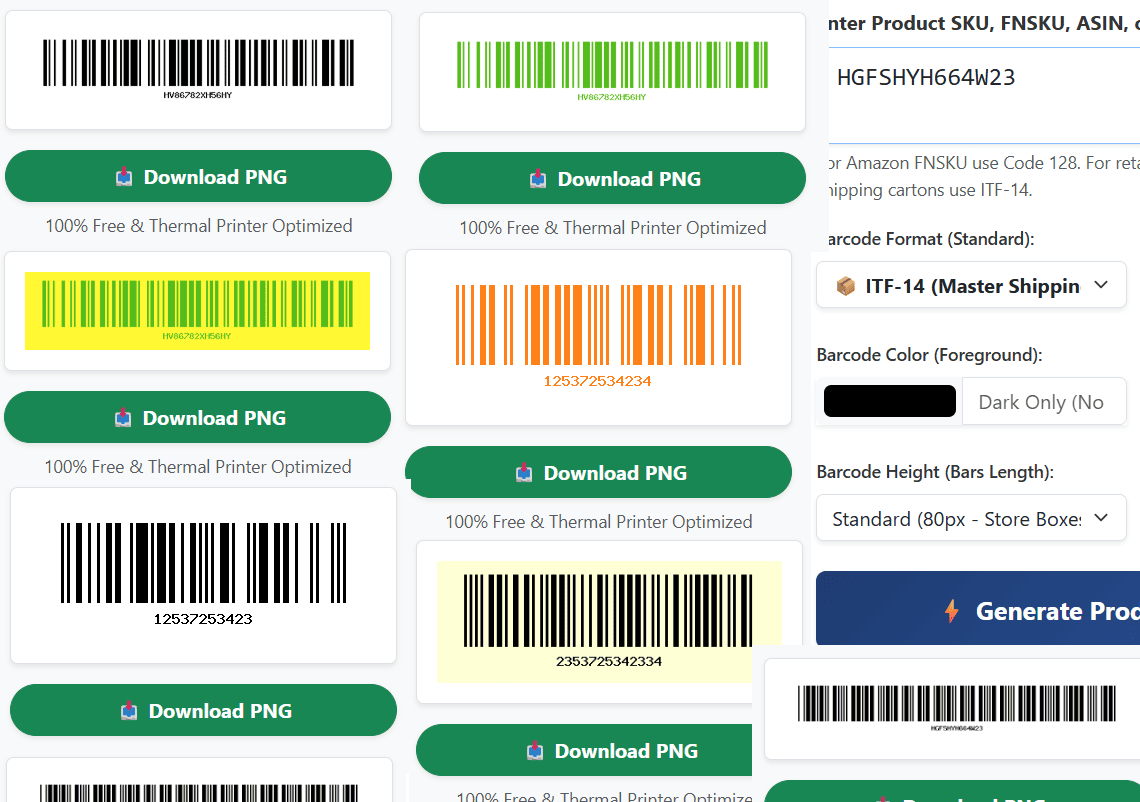
Which Barcode Format Should You Choose? (Complete E-commerce Guide)
Selecting the wrong barcode type can lead to rejected warehouse shipments and costly relabeling fees. Here is how to choose the right barcode format for your business:
The Golden Rule of Barcode Colors: Why Laser Scanners Reject Red Bars
While customized branding is important, barcode physics must never be ignored. Supermarket checkout scanners and warehouse optical readers emit a concentrated red laser or red LED light to illuminate the barcode symbol. The scanner measures the reflection: white backgrounds reflect light, while dark black bars absorb it, creating the digital 1s and 0s required to read the code. If you print a barcode using Red, Pink, Orange, or Yellow bars, the red laser light will reflect off the colored bars at the same wavelength as the white background. To the scanner's optical sensor, the barcode disappears completely! For 100% scanning reliability, always print dark foreground colors (Black, Deep Navy Blue, Dark Brown) onto a solid white or very light background.
Smart Auto Check-Digit Calculation for Retail Barcodes
One of the most powerful features of our online barcode generator is intelligent checksum automation. Retail barcode formats like UPC-A, EAN-13, EAN-8, and ITF-14 rely on a mathematical check digit as their final number to verify data integrity during scanning. If an e-commerce seller enters only the base product numbers (for example, entering 11 digits for a UPC-A code or 12 digits for an EAN-13 code), our backend automatically calculates the Modulo 10 algorithm and appends the exact 100% mathematically valid check digit to your downloaded barcode image!
Frequently Asked Questions (FAQs)
Q: Can I use this tool to print Amazon FBA FNSKU product labels?
Yes! Amazon FBA strictly requires Code 128 barcode symbology for FNSKU labels. Simply select "Code 128" from the dropdown, paste your FNSKU string (which typically begins with 'X0'), set the height to 120px or 150px, and generate your high-resolution label.
Q: Why am I getting an error when trying to put letters into an EAN-13 or UPC-A barcode?
EAN-13, UPC-A, EAN-8, and ITF-14 are strict numerical global standards regulated by GS1. They do not support alphabetic letters (A-Z) or special punctuation. If your product SKU contains letters or hyphens (e.g., "SHIRT-BLK-XL" or Amazon FNSKU "X001..."), you must select the Code 128 format.
Q: Why do thermal label printers require the Ultra HD (4x) DPI setting?
Direct thermal label printers (like Rollo or Zebra) use heated printheads at 203 DPI or 300 DPI rather than liquid ink. If you print a low-resolution barcode graphic, the heat can cause narrow vertical bars to bleed together. Our Ultra HD 4x scaling generates wide quiet zones and razor-sharp pixel edges that scan flawlessly on thermal shipping labels.
Q: Do these generated product barcodes expire or require a monthly paid subscription?
No! Techno Smarter provides this utility as a 100% free tool for online sellers and developers. The generated PNG graphics are permanent static images with zero expiration dates, zero hidden tracking redirects, and zero commercial usage restrictions.