Free QR Code Generator Online
Create permanent, branded QR codes with custom colors, avatar logos, and up to 2000x2000 px Ultra HD resolution for printing!
Your live generated QR code will appear here
The Ultimate Free QR Code Generator with Custom Logo & Colors
In the modern digital landscape, generic black-and-white barcodes no longer capture user attention. Whether you are building a brand identity, launching an advertising campaign, or designing restaurant digital menus, your Quick Response (QR) code needs to reflect your unique style. The Techno Smarter QR Code Generator empowers creators, developers, and businesses to generate 100% customized, colorful, and permanent QR codes with custom center logos—all without paying a single dime or signing up for restrictive subscriptions.
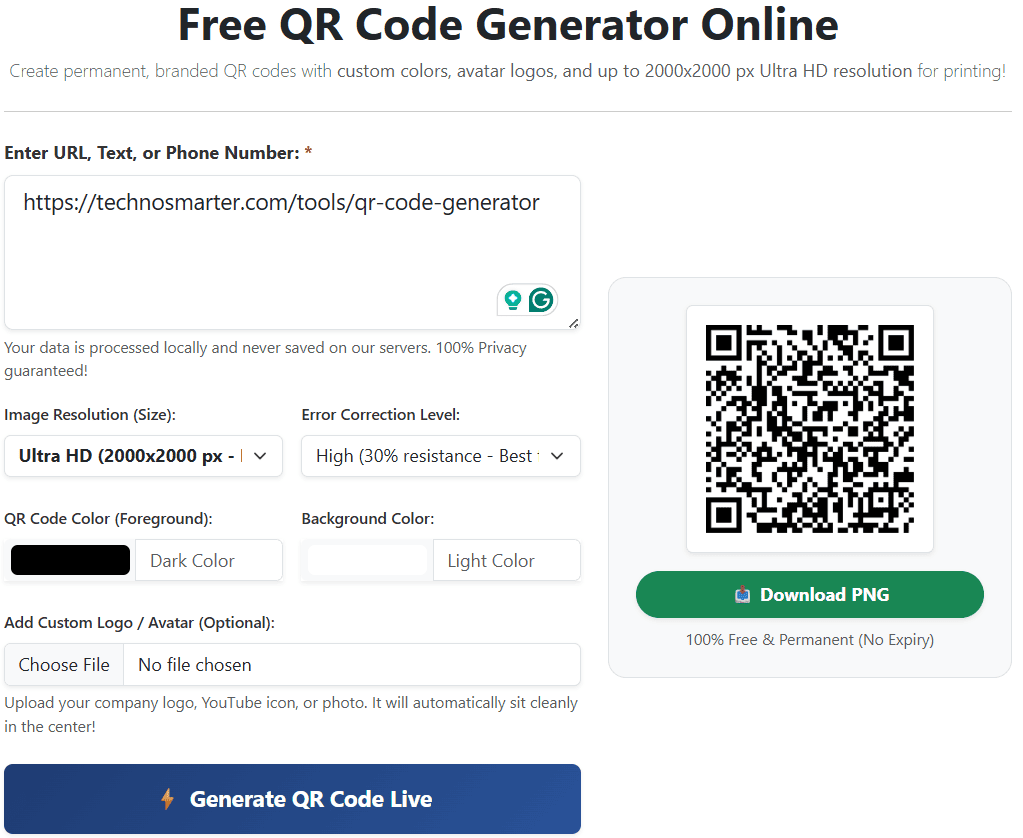
How to Create a Branded QR Code Online (Step-by-Step Guide):
Our advanced AJAX-powered tool generates real-time previews without reloading your webpage. Follow these simple steps to build your custom QR code:
- Step 1: Input Your Destination Data: Enter your target URL (website, YouTube channel, WordPress blog), social media profile, WhatsApp click-to-chat link (e.g.,
https://wa.me/9198X65X3210), contact numbers, or Wi-Fi network details into the text box. - Step 2: Choose Your Resolution (Size): Depending on your deployment needs, select from 8 precision sizes ranging from 200x200 px for digital web use up to 2000x2000 px Ultra HD for commercial outdoor billboards, flex banners, and merchandise printing.
- Step 3: Customize Colors & Branding: Break away from monochrome designs! Use our interactive color pickers to choose a custom foreground color (e.g., Brand Blue, WhatsApp Green) and a clean background color.
- Step 4: Embed Your Custom Logo or Avatar: Click the file upload button to attach your company logo, personal profile photo, or brand icon. Our server intelligently calculates a padded safety zone in the exact center of the QR code so your logo sits beautifully without overlapping crucial data dots.
- Step 5: Generate & Download: Click "Generate QR Code Live". Within milliseconds, your high-definition PNG image is ready. Always perform a quick test scan with your mobile smartphone before clicking "Download PNG Image".
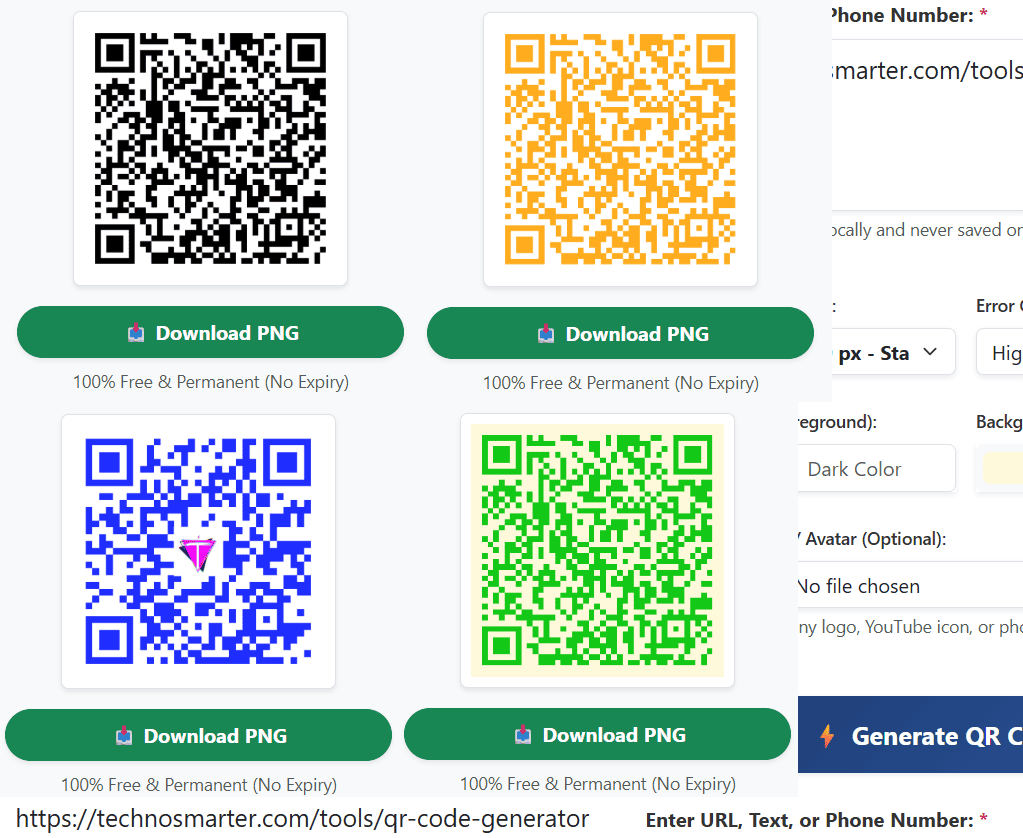
Why Branded QR Codes (Colors + Logo) Increase Scans by 80%
Marketing studies show that customized QR codes featuring familiar brand colors and central logos receive up to 80% more scans than standard black-and-white codes. When users see a recognizable logo (such as Instagram, YouTube, or a corporate emblem) embedded in the center, it builds instant digital trust and eliminates the fear of scanning malicious spam links. However, to maintain 100% scannability, always follow the golden rule of QR design: Maintain high contrast by keeping the foreground color significantly darker than the background color.
♾️ 100% Permanent Validity
Unlike paid platforms that deactivate your codes after a 14-day trial, we generate static QR codes. Once downloaded, they work for a lifetime with zero expiration dates and zero redirect servers.
🛡️ Auto-Force 'H' Error Correction
When you upload a logo, our smart backend automatically elevates the Error Correction Level to High (30% damage resistance). This guarantees that your code remains readable even with an avatar in the center.
🔒 Zero Data Tracking & Privacy
Your privacy is our priority. We do not save, intercept, or track the links and texts you input. Your generated images are processed in real-time and delivered directly to your device.
Which Image Resolution Should You Download? (Size Guide)
Selecting the correct pixel resolution ensures your QR code never looks blurry or pixelated when printed:
- 300x300 px to 500x500 px (Standard Web): Ideal for WhatsApp sharing, email signatures, digital business cards, and website contact pages.
- 1000x1000 px to 1200x1200 px (Full HD Print): Recommended for A4 office flyers, restaurant table menus, product packaging, brochures, and event invitations.
- 1500x1500 px to 2000x2000 px (Ultra HD Commercial Print): Essential for graphic designers printing large-scale outdoor hoardings, trade show banners, vinyl signage, and t-shirts where maximum sharpness is required.
Frequently Asked Questions (FAQs)
Q: Will my generated QR code expire or require a monthly paid subscription?
No! All QR codes generated using Techno Smarter tools are 100% static and permanent. There are zero subscription fees, no hidden charges, and no expiration dates. Your QR code will continue to function forever.
Q: Why is my QR code with a custom logo failing to scan on my smartphone?
If your code is not scanning, check two things: First, ensure there is strong color contrast (never use a light color like yellow on a white background). Second, ensure the QR code size is large enough. Our tool automatically forces High (H) error correction to protect scannability when an avatar logo is uploaded.
Q: What is the best QR code color combination for mobile cameras?
The universally best combination is a very dark foreground (like Black, Deep Blue, or Dark Crimson) on a solid white or very light background. Never invert colors (e.g., white QR code on a black background), as many older smartphone camera scanners cannot recognize inverted barcodes.
Q: Can I create a QR code for my Wi-Fi network or WhatsApp number?
Absolutely! For WhatsApp, simply input your chat URL: https://wa.me/yourcountrycodeandnumber. When someone scans your customized code, it will instantly open a chat window with your number without needing to save your contact first!